Omni Assistant: audio guide to Helsinki
Client & Product
Omni Audio is a Helsinki startup that builds products on its own audio navigation technology.
What I found out
This case covers a project with the City of Helsinki: a mobile web app that helps immigrants and other residents discover the city's circular economy, including second-hand shops, repair points, rental services, and public spaces like Oodi Central Library. The app shows the direction and distance to nearby places and tells about each one in the user's language.
The website is built on a minimalist monochrome palette: it’s dominated by an “almost” white background and black text. Black is sometimes used as a background to highlight certain sections.
Red was chosen as the accent color; it’s used in menu and button hovers, as well as in decorative lines. Red was selected to emphasize the brand’s style — decorative red lines and hardware details in the clothing.
Color palette
Business Requirements
Business Requirements & Constraints
In-depth interviews
Let users explore places equally well through text, visuals, and audio
Show extended information about a place on request
Support any number of languages
Show the direction and distance to each place
Constraints
A startup creating solutions to simplify the integration of immigrants into the closed economy of Helsinki (Finland).
What I found out
One solution is a web application called Audio Navigator for closed-loop services in Helsinki.
The website is built on a minimalist monochrome palette: it’s dominated by an “almost” white background and black text. Black is sometimes used as a background to highlight certain sections.
Red was chosen as the accent color; it’s used in menu and button hovers, as well as in decorative lines. Red was selected to emphasize the brand’s style — decorative red lines and hardware details in the clothing.
Organize the presentation of the list of objects so that the user can equally conveniently use text, visual information, and audio.
Make access to extended information about the object available on request.
Color palette
The application must support any number of languages.
The audio guide must show the direction and distance to the object.
In-depth interviews
The app must have a start screen containing a start control element. For example, a start button.
White and light gray tones form the main working space of the screens. They ensure good content readability and reduce visual load, which is important for a multilingual and utility-focused interface.
At the same time, when the user is on the main screen, the application should already be performing all its functions without restrictions, including audio playback and the use of navigation sensors. This means that all necessary security permissions must be obtained from the user before reaching the main screen.
For security reasons, some browsers (e.g. Chrome) explicitly expect the user to take action (e.g. press a button) before allowing the application to play media content and providing access to device sensors (compass, GPS).
The application is designed to work in a mobile web browser.
Problem
Requirement
CJM
What I found out
Many of them use a minimalist design style, but it often feels bland and impersonal.
Brand websites frequently have complex menus and confusing filters, which complicate the search process.
In 80% of cases, the "Payment," "Shipping," and "Returns" pages are inconvenient and lack proper attention in their design.
Roughly half emphasize the brand’s philosophy and values.
I created hypotheses and prepared open-ended questions for in-depth interviews, which I aligned with the brand’s founder. We interviewed five open-minded people aged 25–40 to learn what makes a website for a young local brand feel user-friendly and trustworthy.
Competitive Analysis


Wireframing
What I found out
Many of them use a minimalist design style, but it often feels bland and impersonal.
Brand websites frequently have complex menus and confusing filters, which complicate the search process.
In 80% of cases, the "Payment," "Shipping," and "Returns" pages are inconvenient and lack proper attention in their design.
I created hypotheses and prepared open-ended questions for in-depth interviews, which I aligned with the brand’s founder. We interviewed five open-minded people aged 25–40 to learn what makes a website for a young local brand feel user-friendly and trustworthy.
Competitive Analysis
Here will be a video

Interim Results
What I found out
Many of them use a minimalist design style, but it often feels bland and impersonal.
Brand websites frequently have complex menus and confusing filters, which complicate the search process.
In 80% of cases, the "Payment," "Shipping," and "Returns" pages are inconvenient and lack proper attention in their design.
Roughly half emphasize the brand’s philosophy and values.
I created hypotheses and prepared open-ended questions for in-depth interviews, which I aligned with the brand’s founder. We interviewed five open-minded people aged 25–40 to learn what makes a website for a young local brand feel user-friendly and trustworthy.
Competitive Analysis

Here will be video
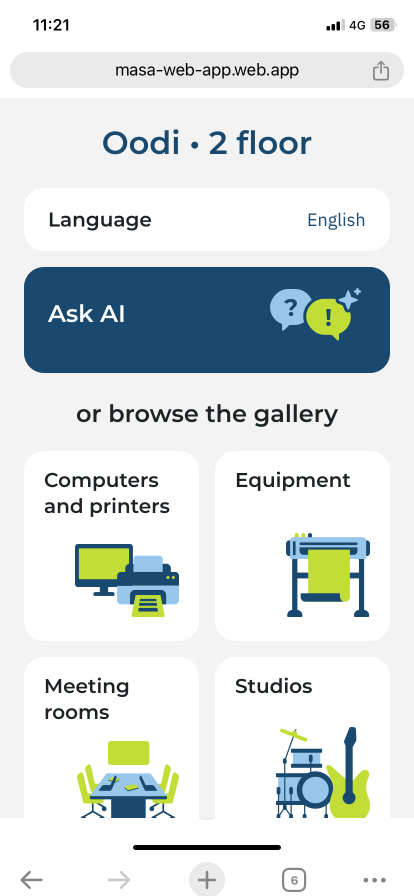
Showed where the user is ("Oodi, 2 floor")
Kept only the language setting. After the client confirmed the other settings weren't essential, I moved them to the menu
Replaced the play button with two clear entry points: a multilingual voice AI assistant and a gallery of categories
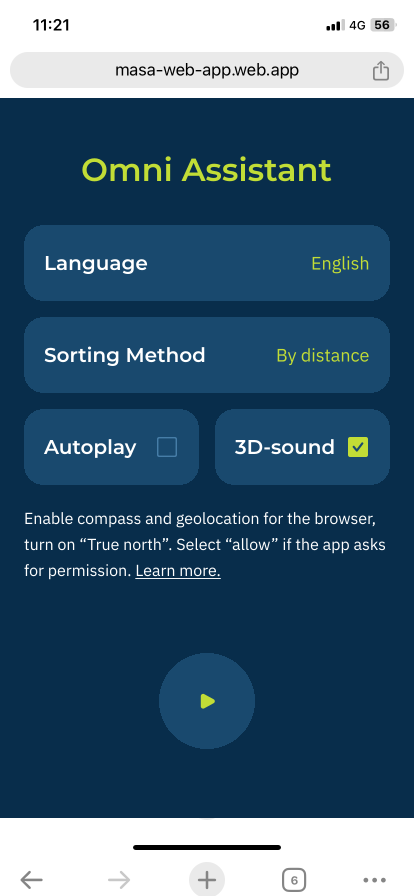
Moved the technical instruction below the main content, since almost no one read it
What I found out
Afterwards, 51% of ~450 users continued past the start screen.
This highlighted a key issue with the entry screen. After improving interface clarity and visual hierarchy, the progression rate increased to 51% of roughly 450 users.
After
Before
We placed QR codes in Oodi library for visitors to try the app. Only 23% of ~200 users got past the start screen: it offered four settings, a technical instruction about permissions, and an unlabeled play button.
What I changed
Start Screen: 23% → 51%
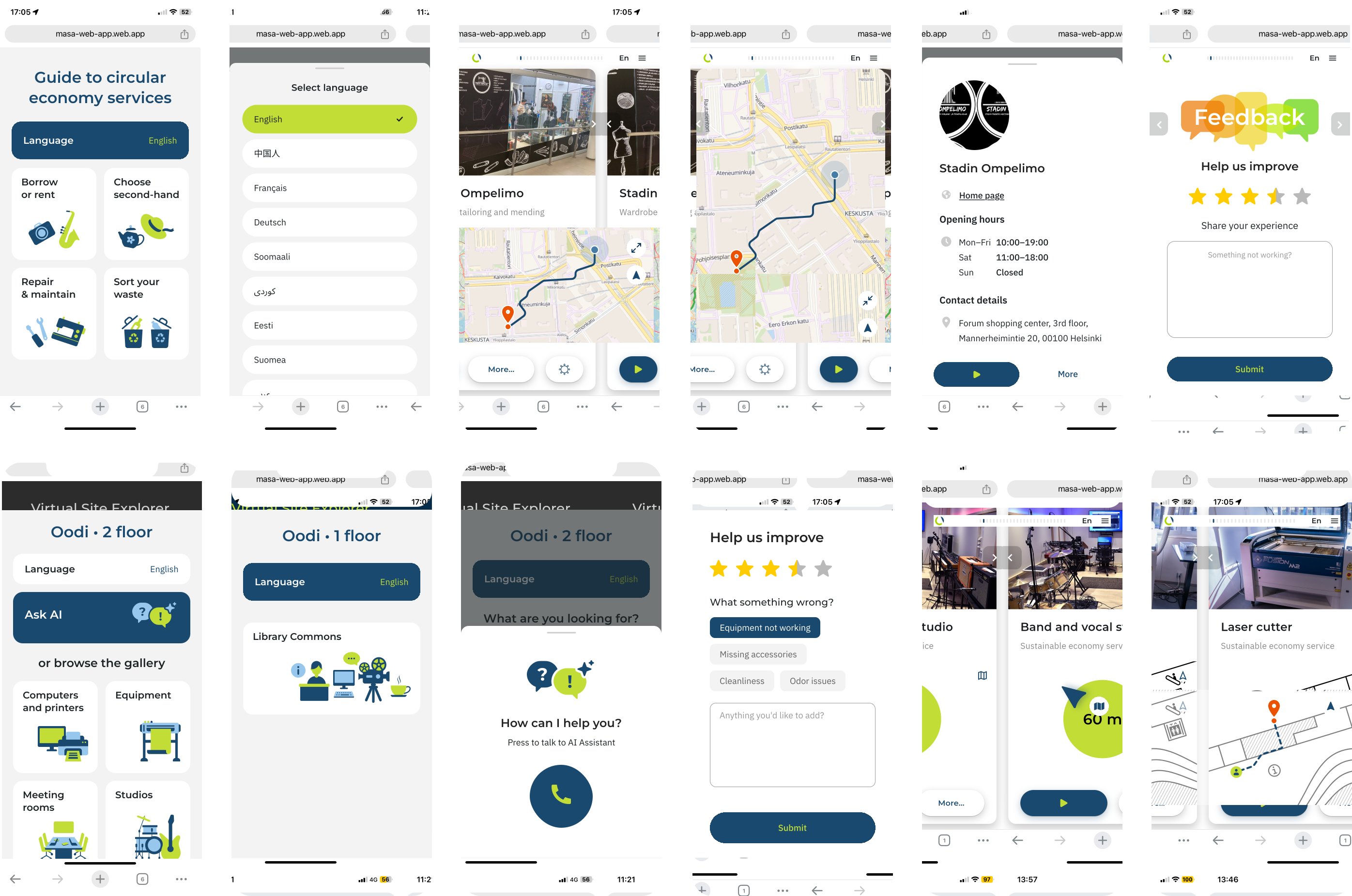
What I found out
For headings, I used the RockStar typeface — a grotesque with wide letterforms. It’s meant to emphasize the brand’s genderless concept.
Fonts
For body text, I chose the calm Inter typeface. It has fairly open letterforms, which makes it readable and gives it a light look.
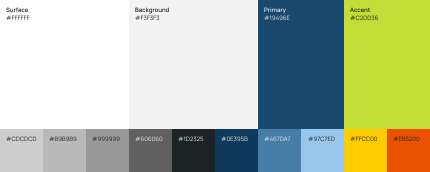


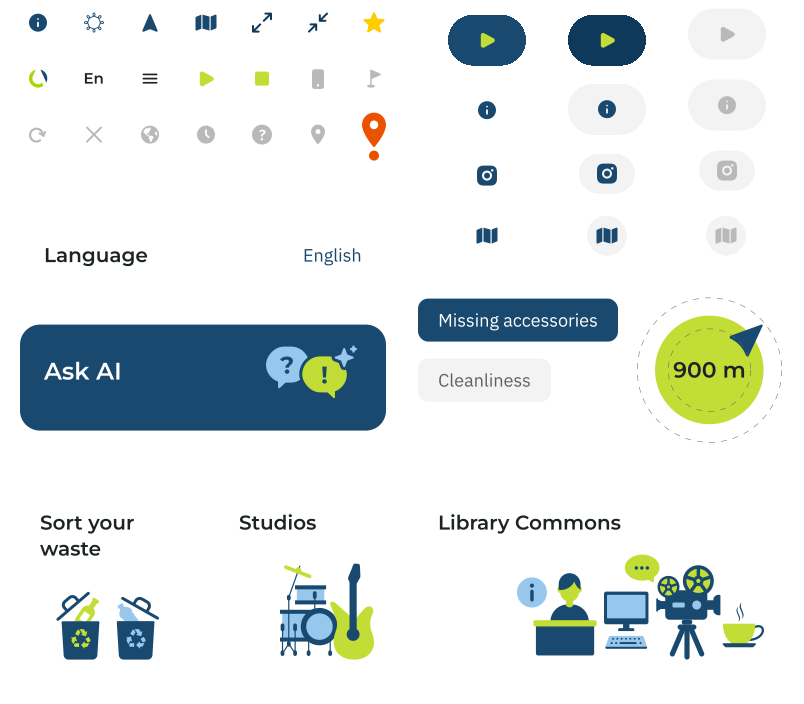
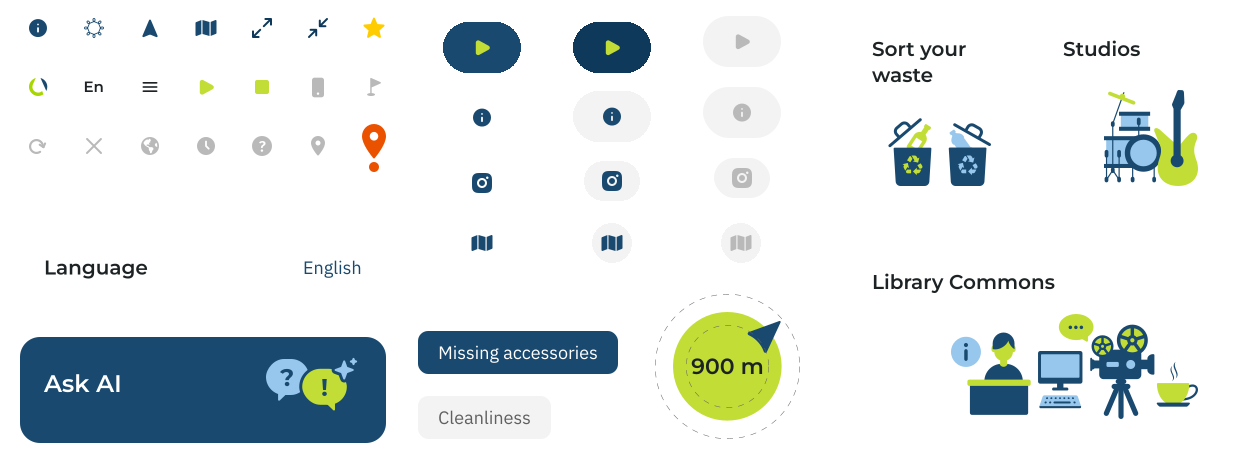
Neutral grays handle secondary and disabled elements. A mid blue marks the user's location on the map, a light blue adds depth to illustrations, and orange and yellow are reserved for map pins and rating stars.
Clean light surfaces form the working space and keep multilingual content easy to read. Dark blue marks primary actions and navigation, giving a sense of reliability in wayfinding. Lime is the accent: it draws attention in navigation and adds freshness to illustrations.
The UI Kit reflects the final version of the interface.
Color palette
UI Kit

Both apps, for Oodi and for city streets, are fully functional and ready to launch. The pilot's client, the City of Helsinki Urban Environment Division (KYMP), and Oodi library, which hosted the pilot, were both satisfied with the results.
Result
The first participants received a different task guide, so their results weren't fully comparable with the rest. I learned to agree on one shared guide with the whole team before testing starts.
Reflection
After the start screen redesign, the share of users who got past it grew from 23% to 51%, and 71 participants rated the app 4.4 out of 5 in user testing.
The startup now uses these pilots as references with clients and investors.
